Google Stitch Can't Keep Your Header Consistent Across Pages
TL;DR: Google Stitch does not keep the header and footer the same across the pages it generates. Other users report the same problem on the Google AI forum, and a reply there says the Stitch team is working on it. We hit it while designing the ProdStories blog. We fixed it the obvious way. We picked one header and one footer from the mockups, built each once as a shared component in our Next.js app, and had Claude Code port them one component at a time. Every page of this blog, including this one, renders that header and footer.
If you are a solo builder with no design budget, Stitch can replace a designer for a first version. Just don't expect it to keep shared parts like the header identical across pages.
We are not the only ones who hit this. In How to Maintain Style Consistency on the Google AI forum, a user asks: "Why can't the generated web prototypes have a consistent menu (header)?" In Design system or design guideline on Stitch project, another user says their pages matched "except for the core navigation structure". A reply in that thread, from March 2026, says: "Our team is currently working on improving design consistency for multi-screen projects."
Why we used Stitch at all
ProdStories is four developers. None of us is a designer, and the blog has no budget. We needed a home page, a blog listing, a post page, an author page, and the usual About, Contact, and legal pages. We did not want a theme that looks like every other Next.js starter.
Hiring a designer was not an option. Designing it ourselves was an option, but not a good one. Google Stitch was free, took text prompts, and returned full page layouts. We decided to try it before doing anything else.
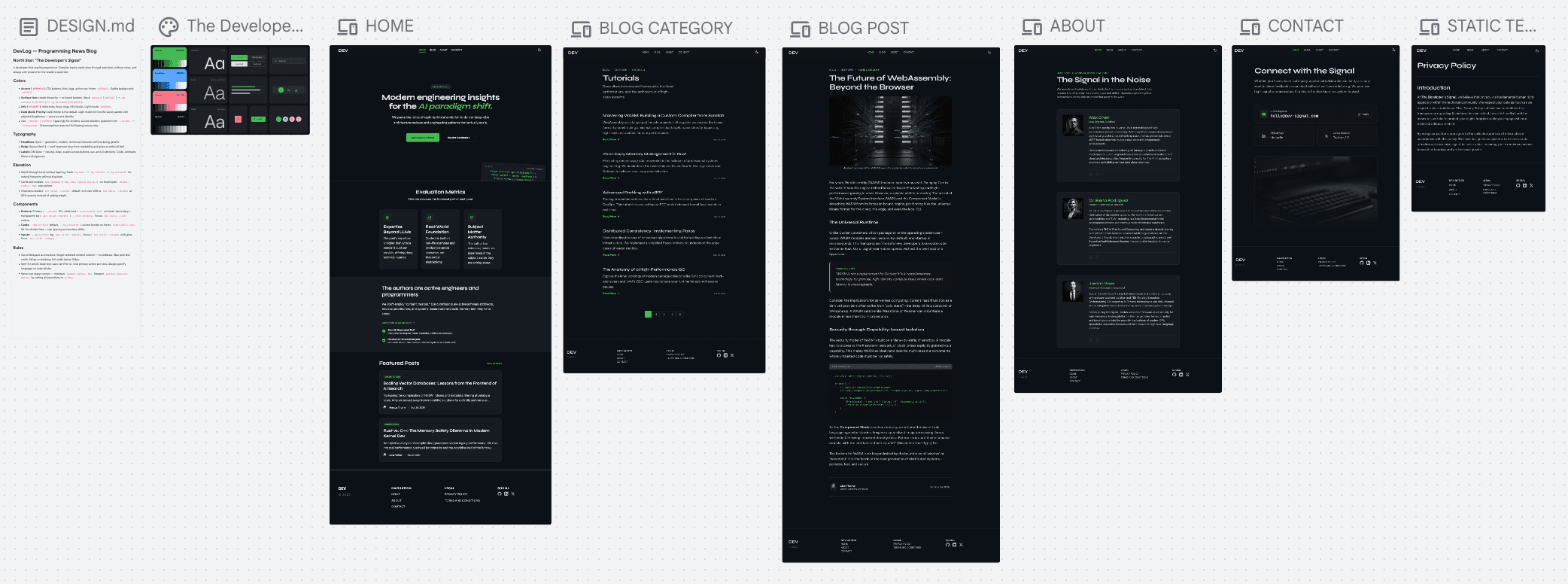
Note: this result was the maximum. In this overview the headers look the same on every page, but they are not. Even after we got them to match visually, the code Stitch exported for each page still had a different header.
What Stitch did well
- It produced real layouts, not wireframes. Each page came back with typography, spacing, color, and a clear visual hierarchy. It looked like a designer's first draft, not like a template.
- It gave us options fast. When we did not like a direction, we asked again. For a team of four with four opinions, having several concrete options to point at made decisions faster.
- It fit a developer's workflow. We described pages in plain text, the same way we would write a ticket.
The problem: every page had a different header
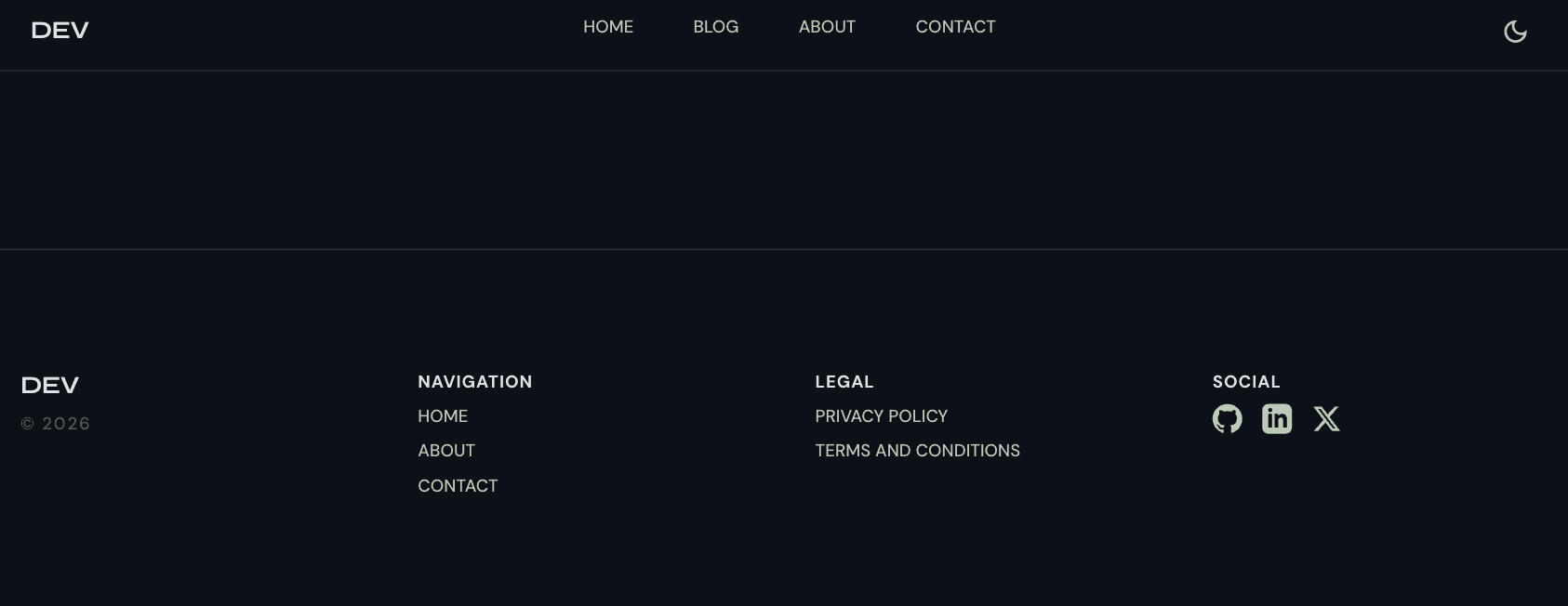
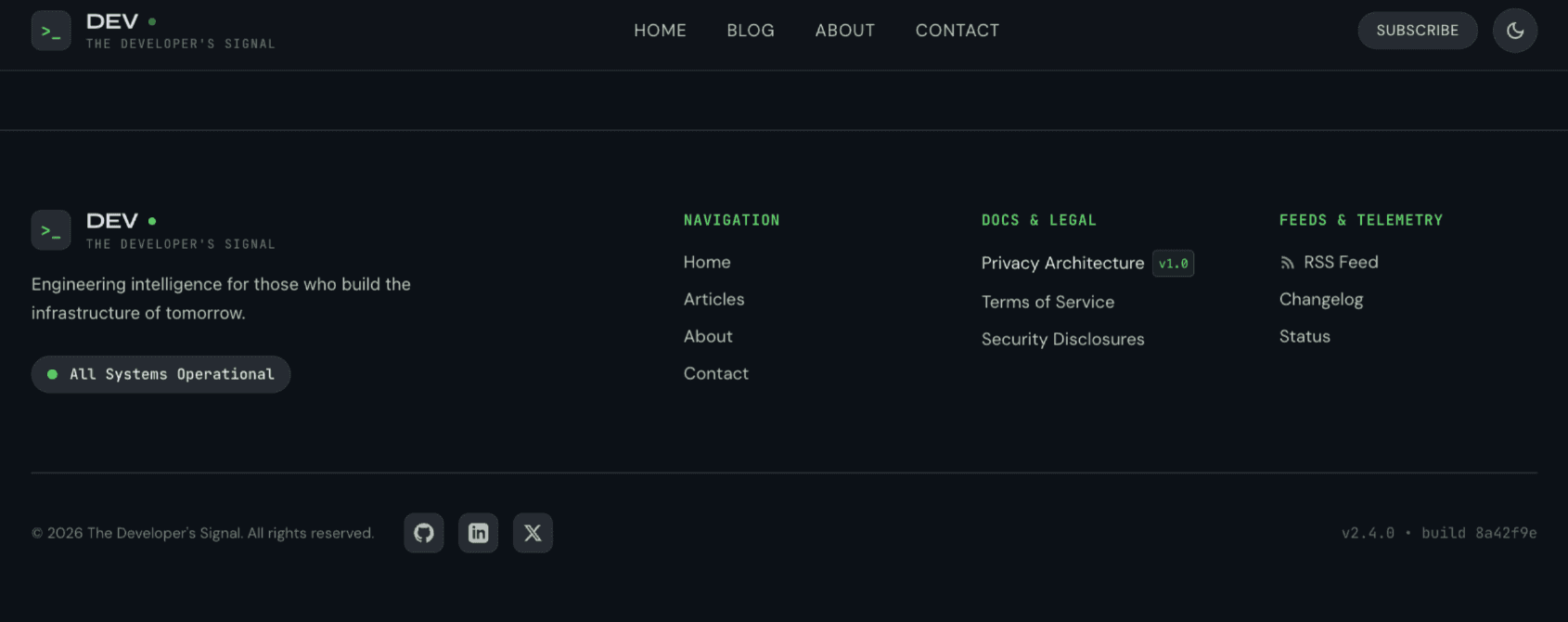
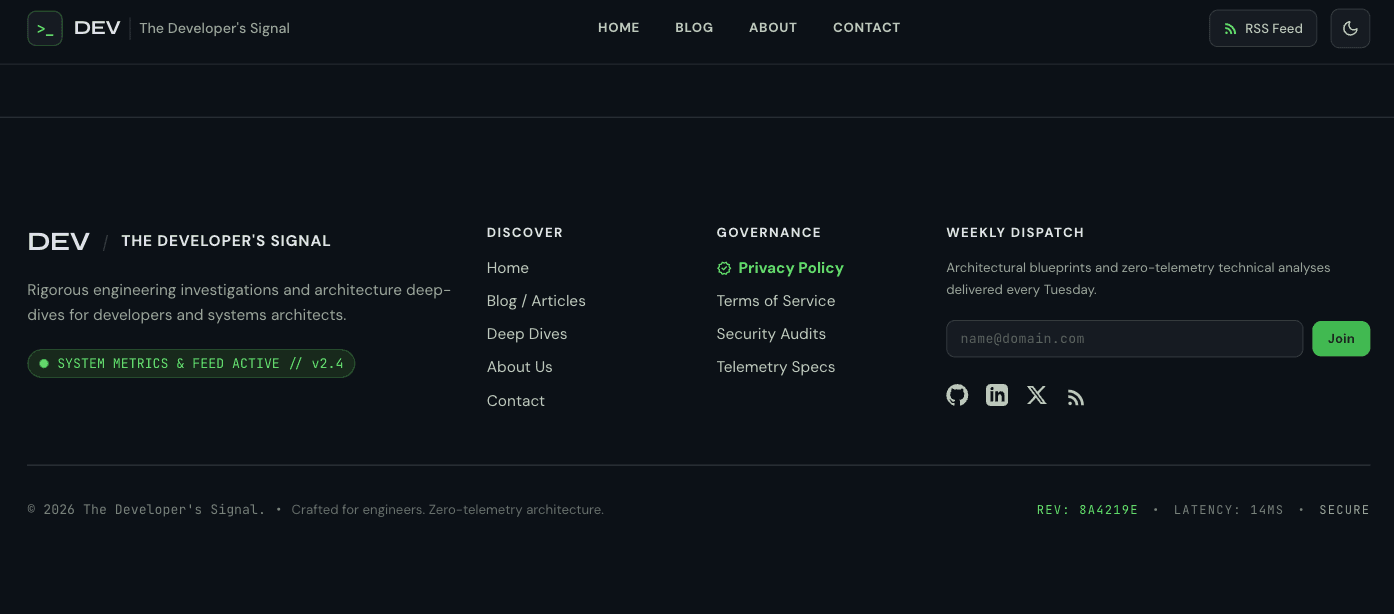
This is where it broke down. We generated the pages one by one. Each page looked good on its own. Put them next to each other, and the headers did not match.
- The header changed from page to page.
- The footer changed from page to page.
 |
|---|
 |
 |
A blog is the worst case for this. Readers move between the home page, the list, and a post all the time. If the header jumps on every click, the site feels broken.
What we tried
We assumed we were using the tool wrong. We went through docs, tutorials, forum threads, and videos, and tried everything we found:
- DESIGN.md. Stitch keeps a design-system file for each project. It kept colors and fonts mostly stable across screens, but it ignored the placement of the header elements.
- Direct prompts. We described the header we wanted right in the page prompt. The header still came out different on each page.
- "Re-generate this header to be the same as on screen X." Stitch regenerated it, but we got yet another variant instead of a copy.
None of it gave us the same header and footer across pages. We didn't keep screenshots of these attempts, so all we can show is the result: the three variants above.
At some point we asked a different question: does the design tool need to be consistent at all?
The fix: build the header once, in code
The fix is the obvious one for any component-based site. In a Next.js app, the header and footer are not repeated on every page. They are two components, rendered once in the root layout:
<Header />
<main>{children}</main>
<Footer />
Every page gets the same header by construction. So we did not need Stitch to give us five matching pages. We needed it to give us one good header and one good footer somewhere in its output. Which page they came from did not matter.
That changed how we used the mockups. We stopped treating them as a spec and started treating them as a parts bin.
How we ported the design with Claude Code
We did the port in small, separate steps, each one reviewed before the next:
- Pick the parts. We went through all the generated pages and chose one header and one footer. They did not have to come from the same page.
- Port the header first, alone. We gave Claude Code the chosen header and asked it to restyle our existing
Headercomponent to match - without touching anything else. Then we checked it on every page. - Port the footer, alone. Same process for the
Footercomponent. - Port the page bodies. Only after the shell was stable did we move to the content of each page: the home page, the post list, the author pages.
The rule that made this work: one component per step. Our mockups disagreed with each other, so a broad request like "make the site look like these designs" gives the agent no clear answer about which header or which card style is the right one. One component per step removes that choice, and it keeps every diff small enough to review.
A prompt for a single step looked roughly like this:
Here is the header from the Stitch "Home" mockup [attached].
Restyle components/blocks/header to match it.
Keep the existing structure, links, theme toggle, and mobile menu.
Use the existing CSS variables from globals.css. Don't add new colors.
Don't change any other component.
The result: the layout of this blog
You are looking at the result. The header and footer on this page are the same components that every other page renders. Open the home page or any other post, and you will see the same ones.
The code is in header.tsx in the ProdStories repo.
The second limitation: you can't rearrange sections
The other problem we hit: we could not freely move blocks and sections around inside a generated layout. If we liked a page but wanted the featured posts above the category list, we could not just drag the section up in the generated layout.
For us this was a smaller problem, because we were going to rebuild everything in code anyway. Moving a section in JSX takes seconds. But if you want to finish the design in the tool itself, expect to fight this.
Verdict: should a solo builder use Google Stitch?
Yes, for a first version, if you are going to write the frontend yourself. For a solo founder or a small team with no design budget, Stitch can take the place of a designer for the first version of a site. We got a design we are happy with, for free, without anyone on the team having design skills.
Use it as a source of parts, not as a finished design. It won't give you consistent pages. Your code will, if the shared pieces are shared components.
Don't use it if you need a finished, consistent set of mockups to hand to someone else - a client, a contractor, or a no-code builder. That is the one thing it could not give us.
If we started again, we would:
- Generate pages with the expectation that headers and footers will differ, and not lose time trying to fix that in the tool.
- Choose the header, footer, and color tokens first, before porting any page body.
- Port one component per Claude Code step, with an explicit "don't change anything else" in every prompt.
FAQ
Can Google Stitch keep the same header and footer across multiple pages? In our experience, no. Each generated page came back with its own header and footer, and we did not find a reliable way to lock them. We solved it in code, by building the header and footer once as shared components.
Can you move sections around in a Google Stitch layout? Not freely, in our experience. We could not drag a section to a new position in a generated layout. We changed the order in code instead.
Can Google Stitch replace a designer? For a solo builder's first version, it replaced one for us. It gives you a strong visual direction and reusable parts. Its DESIGN.md kept colors and fonts mostly consistent for us, but not the layout of shared parts like the header; we built those once in code.
How do you turn Stitch mockups into a Next.js site? Treat the mockups as references. Build the shared shell (header, footer, design tokens) first, then port each page body. We used Claude Code for the port, one component per step, reviewing each diff before moving on.

